BlogProduct
AI for KiCad: what an agent can do in your schematic and board
What an AI agent can do inside KiCad today: drawing schematics, routing and checking boards, ngspice simulation, and JLCPCB-ready outputs, with every change undoable.
Most AI tools for electronics stop at an answer in a chat window or a generated netlist you still have to redraw. Vector works in the KiCad project you have open. It edits the board and the schematic in KiCad’s own editors, runs KiCad’s checks, and leaves native KiCad files you keep working on.
What it can do
- Draw schematics from a written brief, with symbols and footprints from your libraries, and check them with ERC and the netlist.
- Edit the open board: place footprints, route tracks, add vias and zones, set net classes and the stackup.
- Run DRC with schematic parity, read the report, and fix what it finds.
- Simulate circuits in ngspice and plot the results, then change the circuit and run it again.
- Create and edit footprints and symbols in the library editors.
- Export Gerbers, drill files, BOMs, placement files, PDFs, and STEP models, and render the board in 3D.
How it works with KiCad
On KiCad 9 and 10, Vector connects through KiCad’s API, the same interface KiCad’s own add-ons use. On KiCad 7 and 8, it installs a PCB plugin. Either way, edits to an open document happen in the editor while you watch, and each one is a single undo step. Before every change, Vector checks that it’s still working on the document you selected, so a second board or a different editor in front never gets the edit by mistake.
For work on saved files, such as plotting Gerbers or generating a project from scratch, Vector uses KiCad’s command-line tools and writes new files instead of replacing yours.
An example from a real board
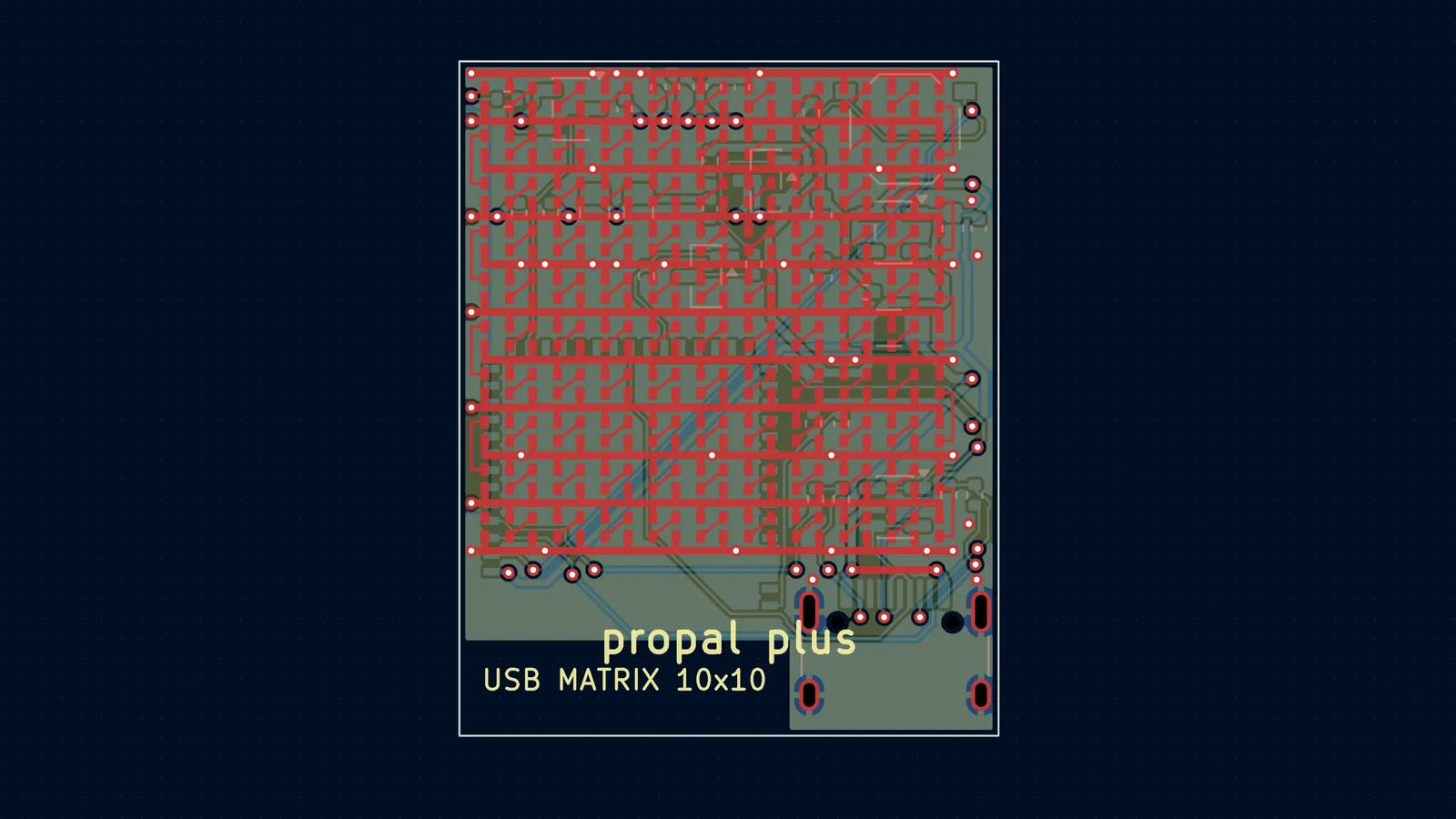
A 10 × 10 addressable LED matrix with an ESP32-S3 and USB-C, 27.1 × 33.9 mm on four layers, went from a written brief to an order for assembled boards. These are the numbers from each step.
| Step | Result |
|---|---|
| Schematic | 9 blocks, 135 symbols, 154 nets. ERC: 0 errors, 0 warnings. |
| Layout | 415 unrouted connections, then 126 after the LED field, then 0. 662 track segments, 69 vias. |
| First DRC run | 3 shorts, 6 courtyard overlaps, 6 starved thermals, 3 solder mask bridges, 55 unconnected items. |
| Final DRC run | 0 violations, 0 unconnected, schematic parity clean. |
| Simulation | LED rail inrush cut from 2.47 A to 270 mA with a gate–drain capacitor. |
| Fabrication | 19 BOM lines with LCSC numbers, 135 placements on both sides. |
Each step has its own write-up: the schematic, routing and DRC, the inrush simulation, and the JLCPCB files.
What to check yourself
- New footprints against the datasheet’s recommended land pattern, especially connectors and modules.
- Rotations and pin 1 in your assembler’s placement preview. Every fab’s rotation convention is slightly different.
- Constraints you haven’t written down: current, impedance, creepage, and thermal limits only get checked if Vector knows them.
- The order itself. Vector prepares the files and tells you what to check, but it doesn’t place orders.
Download Vector and connect KiCad in Settings → Integrations. Vector for KiCad lists everything it can do.
Questions
- Which versions of KiCad does Vector work with?
- KiCad 7, 8, 9, and 10 on Windows. On 9 and 10 Vector uses KiCad’s API; on 7 and 8 it installs a PCB plugin.
- Can I undo what Vector changes?
- Yes. Changes to an open board or schematic happen in the editor, each one is an undo step, and nothing is saved until you save.
- Does it use my own libraries?
- Yes. Vector reads your global and project library tables, so it places the symbols and footprints you already use, and it can create new ones in the library editors.
- Does it replace the autorouter?
- No. It routes regular structures itself, can run Freerouting for the rest, and will check and clean up a board you routed by hand.
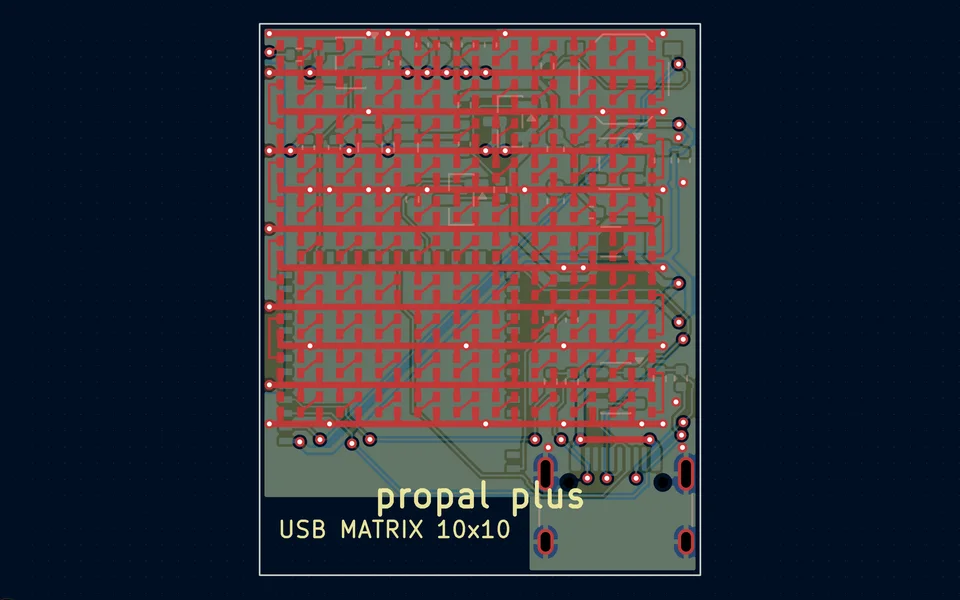
Route a four-layer board and pass DRC
Vector routes the regular parts of the board itself, hands the rest to Freerouting, refills the planes, and runs DRC with schematic parity against your fab’s rules until it comes back clean.
Watch it in Vector